

Anker 7-in-2 USB-C Hub: A Compact MacBook Dock for Displays, Charging and Extra Ports
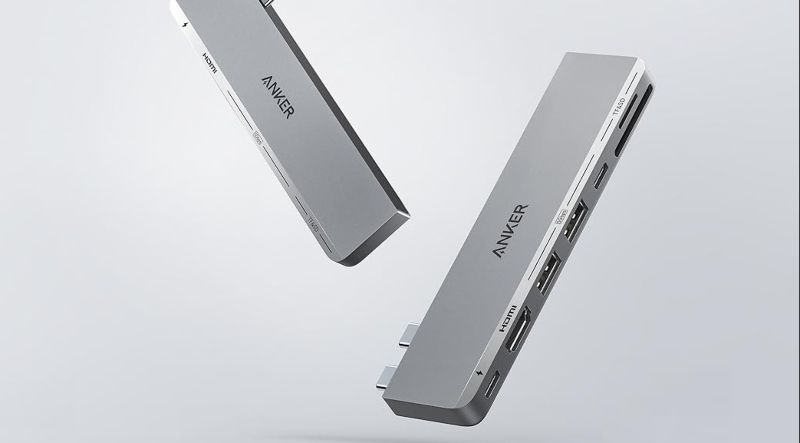
The Anker USB-C Hub for MacBook is worth considering if your MacBook needs more ports without turning your workspace into a collection of separate adapters. Designed specifically for compatible MacBook Air and MacBook Pro models, it expands two USB-C ports into seven connections, covering external displays, USB devices, memory cards, charging, and high-speed data transfer.
Why Is It Worth Buying?
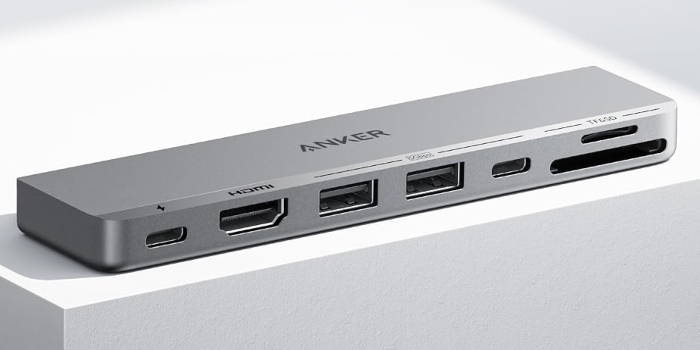
Its biggest advantage is the combination of seven useful ports in one compact hub. You get HDMI, USB-C, two USB-A ports, SD, and microSD card slots, while the multi-function USB-C port supports up to 100W charging, 40Gbps data transfer, and 5K@60Hz display output.
For users who regularly connect an external monitor, storage devices, USB accessories, or camera memory cards, this can replace several individual adapters.
More Than Just a Display Adapter
The HDMI port supports 4K@60Hz, while the multi-function USB-C port supports up to 5K@60Hz. This makes the hub useful for more demanding desk setups, rather than simply adding a basic HDMI connection. It can also connect two external displays simultaneously, although MacBooks with M1, M2, or M3 chips do not support dual external displays.
Compact Enough for Everyday Carrying
Measuring 4.72 × 1.14 × 0.39 inches and weighing just 1.92 ounces, the hub adds substantial connectivity without the size of a traditional desktop docking station. It is also designed not to obstruct the MacBook's MagSafe port.
The Biggest Limitation
This hub is not suitable for every MacBook. It does not work with MacBook Neo, and users with M1, M2, or M3 MacBooks should be aware of the dual external display limitation.
Who Is It Best For?
Choose the Anker 547 if you want one compact accessory that can handle display output, USB devices, high-speed data, charging, and SD or microSD cards.
Which One Fits Your Setup Best?
These three products serve very different needs, making the right choice largely dependent on your device and connection requirements.
| Anker USB-C Hub | Maxonar Dock | IVANKY Adapter | |
| Best For | MacBook expansion | Handheld gaming devices | Mini DP to HDMI |
| Ports | 7 | 6 | 2 |
| Maximum HDMI | 4K@60Hz | 4K@120Hz | 4K@60Hz |
| Charging | 100W | 100W | Not stated |
| Extra Features | SD + microSD, up to 40Gbps USB-C | Gigabit Ethernet, 3 USB-A | HDMI conversion only |
| Choose It If | You need one hub for most MacBook accessories | You mainly dock a compatible handheld gaming device | You only need to connect Mini DP to HDMI |
Bottom Line
The Anker 547 USB-C Hub makes the most sense for compatible MacBook users who need more than a single HDMI adapter. Its strongest advantage is how much connectivity it adds in a small form factor, particularly the combination of seven ports, up to 40Gbps data transfer, up to 100W charging, 4K@60Hz HDMI, and SD and microSD card readers.
Its main limitation is compatibility, but for the right MacBook setup, it offers a much broader expansion solution than carrying separate adapters.
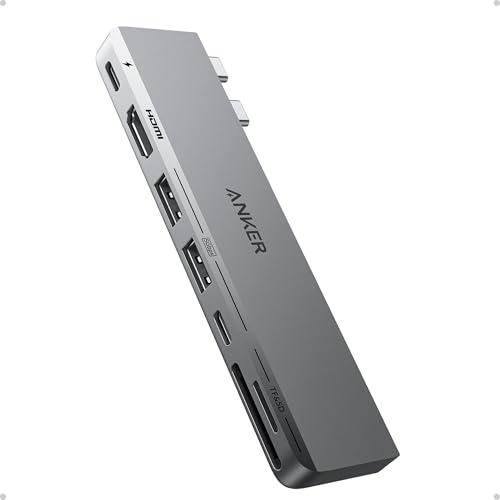
- Hardware Interface: HDMI, MicroSD, USB, USB Type C
- Special Feature: Fast Charging, HDMI™️
- Compatible: Devices Laptops
- Additional Features: Fast Charging, HDMI™️
- Total Usb Ports: 7
- Data Transfer Rate: 40 gigabits_per_second
- Operating System: macOS